Clawpack
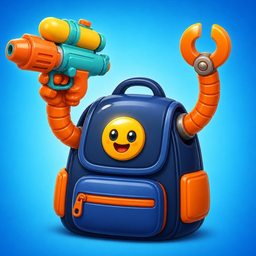
Clawpack is a free zombie survival shooter for iPhone. Move with one thumb while every weapon in your backpack grabs a robot claw and fires on its own. Between waves, buy and merge weapons in a grid backpack, then smash the boss.
No forced ads mid-battleNo energy timersPlays offlineThanks for playing! Below are answers to the questions players ask most. If yours isn't here, email us at support@foxdrobe.com. We usually reply within two working days.
Playing
How do I play?
Drag anywhere on the screen to move. Your claws aim and fire on their own. Popped zombies drop scrap: it levels you up (pick one of three perks) and pays for weapons. Walk into a car or a stack of crates to hop on top; zombies will try to knock it over.
How does the backpack work?
After every wave a supply crate drops and your backpack opens. Drag a weapon from the supply table into an empty spot (or tap it to place it automatically). Every weapon in your pack becomes a new claw. Drop a weapon on its identical twin to merge it up a star (up to three). You can sell, undo and reroll. Your pack grows a cell after every wave.
Do I have to watch an ad to continue?
Never. Done is always free. Some supply offers say “Free” with a play icon: the video plays when you pick the offer and the item is yours when it finishes. If you skip it, you can still buy the item with scrap, or leave it.
How many worlds are there?
30 worlds across six places (Maple Street, Downtown, the Fairground, Pumpkin Fields, the Boardwalk and Snowcap Village), each ending with a boss. There's also a Daily Challenge with the same waves for everyone, and Endless Siege.
I keep losing. Any tips?
Keep moving in wide circles, merge weapons instead of filling the pack with one-stars, pick health perks if you're getting hit, and watch the red warnings on the ground: every boss attack is telegraphed. Upgrades and gear on the menu tabs make you permanently stronger, and each world shows the power it recommends.
Ads, purchases and energy
When do ads appear?
Ads never appear during a wave or in the backpack. A full-screen ad can appear after you finish a won run, at most every other run and a few minutes apart, and never in your first runs. A small banner sits on the menu tabs. Videos that double rewards, revive you or open bonus crates are always optional.
I watched a video and the game closed. Did I lose the reward?
No. The reward is written down before the video starts, so if the app closes during the video, you get it the next time you open Clawpack.
Is there energy or a stamina timer?
No. Play as many runs as you like.
Are there in-app purchases?
No. Everything is earned by playing.
Progress and data
Where is my progress saved?
On your iPhone. Progress is saved after every wave, so if the app is closed mid-run you can continue from the last backpack. There's no account; deleting the app deletes your progress.
Does it work offline?
Yes, the whole game plays offline. Optional videos and ads need a connection.
How do I change my privacy choices?
In the EU and UK, go to Settings → Privacy settings in the app. To change tracking permission, use iPhone Settings → Privacy & Security → Tracking. Read the full privacy policy.